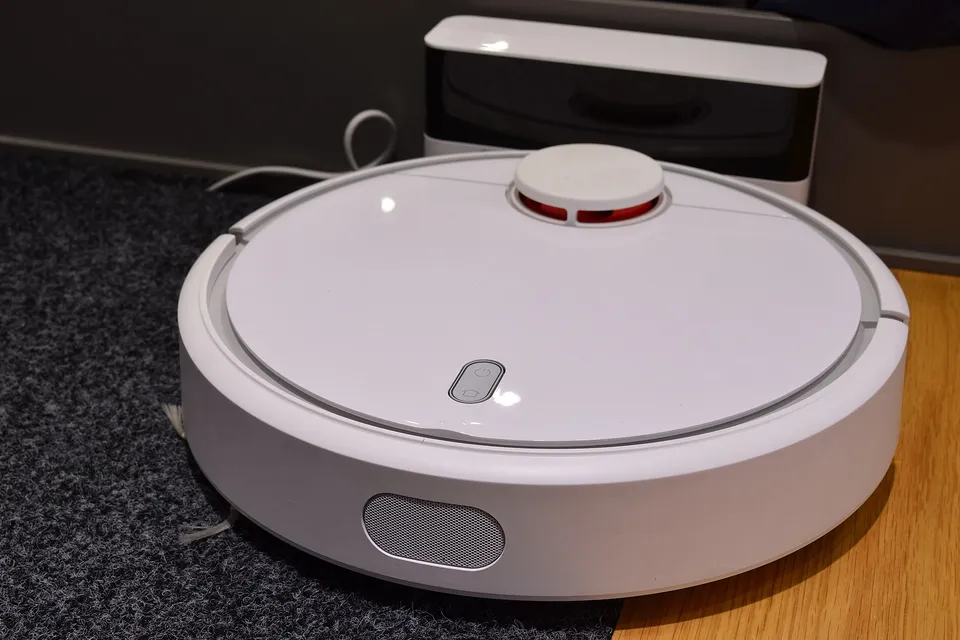
- How often to run it: once a day in busy homes, with pets or kids; every other day or 3 times a week in quieter homes.
- When: while you're out or after meals, with the floor cleared.
- After each run: empty the dustbin.
- Weekly: remove hair from the brushes and wheels.
- Every 2 to 4 weeks: clean the filter and wipe the sensors.
- Every few months: replace worn brushes and filters as the manufacturer recommends.
A robot vacuum works best when it runs often. Unlike a weekly vacuuming session, the idea is to pick up a little dirt every day so it never builds up. But a robot is only as good as its routine: if the bin is full, the brush is wrapped in hair or the floor is covered in socks and cords, it won't clean well.
This guide explains how often to run a robot vacuum, the best time of day, a maintenance schedule, how to fit the robot into your full cleaning routine and what to adjust for pets, allergies and different floor types.
How often should you run a robot vacuum?
| Household | Runs |
|---|---|
| Pets that shed | Daily (busy areas twice a day in shedding season) |
| Kids | Daily, ideally after meals |
| Allergies | Daily |
| Couple, no pets | Every other day |
| Single person, mostly out | 2 to 3 times a week |
Running it more often doesn't wear out your floors; it keeps grit from scratching them and stops dust from spreading. See how often should you vacuum?
What's the best time to run it?
- While you're out: no tripping, no noise, nothing in the way.
- After dinner: in the kitchen and dining area, where crumbs collect.
- In the morning: picks up dust that settled overnight.
- Before guests: a quick run makes floors look fresh.
With a one-button robot like DustaPro, you start it when it suits you: before leaving for work, while making dinner or while relaxing in another room. It runs at up to 60 dB, about the level of normal conversation.
How do you prepare the floor before each run?
- Pick up socks, toys, charging cables and shoelaces.
- Put chairs on the table or push them in.
- Move light rugs with fringes or tuck the fringe under.
- Move pet bowls out of the path.
- Close doors to rooms you don't want cleaned.
A five-minute tidy is a good daily habit anyway, and it makes the robot much more effective.
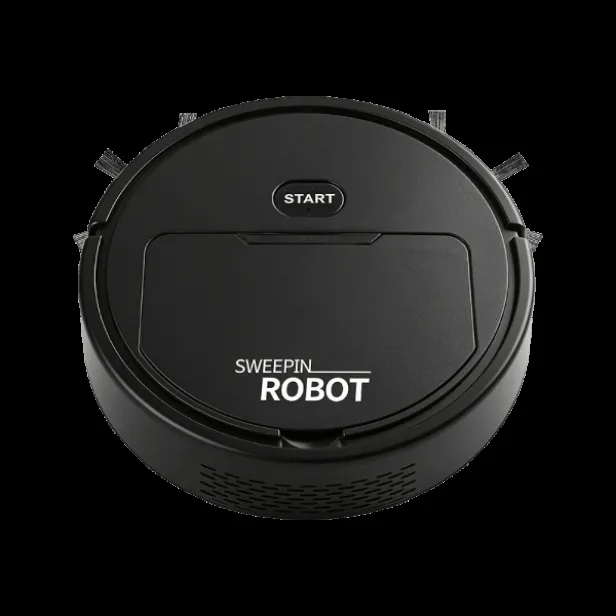
One button, every day
DustaPro: one button, no app, no WiFi, about 2.8 in tall, up to 60 dB, USB charging. Built for daily upkeep of hard floors and low rugs. $69.99, or from $49.99 each in bundles.
Check today's price →$69.99, or from $49.99 each in bundles
What's the robot maintenance schedule?
| When | Task |
|---|---|
| After each run | Empty the dustbin |
| Weekly | Remove hair from the main brush, side brush and wheels |
| Every 2 to 4 weeks | Tap out or rinse the filter (if washable, dry fully); wipe sensors and charging contacts |
| Every few months | Replace worn brushes and filters as the manufacturer recommends |
Full guide: robot vacuum maintenance.
How does the robot fit into your full cleaning routine?
A robot handles daily surface debris on floors. It doesn't replace everything:
- Daily: robot run; quick kitchen and bathroom wipe.
- Weekly: mop hard floors; vacuum stairs, corners and upholstery with a regular or handheld vacuum; dust surfaces; wash bedding.
- Monthly: deep vacuum rugs and under heavy furniture; clean baseboards.
Does the schedule change by floor type?
On hard floors like tile, wood, laminate and vinyl, daily runs keep them looking swept and protect them from grit. On low rugs, regular runs lift surface dust and hair. Thick carpets still need a stronger vacuum for deep cleaning, since low-suction robots are designed for daily maintenance rather than deep carpet cleaning. See robot vacuum for tile floors and robot vacuum for hardwood floors.
What schedule works with pets?
Run the robot every day, focusing on the rooms where pets sleep and eat. During shedding season in spring and fall, run it twice in busy areas. Clean hair from the brush more often, at least weekly. Brushing pets outdoors reduces how much hair ends up on the floor. See robot vacuum for pet hair.
What about allergies?
Daily runs reduce dust and dander on floors before they're kicked into the air. Empty the bin outdoors or over a lidded trash can to avoid releasing dust. The ACAAI recommends reducing dust and keeping humidity low for people with dust allergies, and the EPA explains how dust affects indoor air. See dust allergy cleaning tips.
Do you need an app to schedule?
No. App-based scheduling is convenient for some people, but a simple daily habit works just as well: press the button at the same time every day, for example before leaving for work or after dinner. Linking it to an existing routine makes it automatic. Read robot vacuum without an app.
Why is DustaPro easy to keep on a schedule?
DustaPro has one button, no app or WiFi, a low profile of about 2.8 in, USB charging and up to 60 dB of noise. Its suction is about 450 Pa, designed for daily maintenance of hard floors and low rugs. Because there's nothing to set up, it's easy to run every day. Read our DustaPro review.
What mistakes should you avoid?
- Letting the bin fill up, which reduces pickup.
- Ignoring hair wrapped around the brushes.
- Running it over cords, socks or pet accidents.
- Expecting it to deep clean thick carpets.
- Forgetting to wipe the sensors, which can make it bump or get stuck.
How much does DustaPro cost?
DustaPro is $69.99 for one, $59.99 each for two, $54.99 each for three and $49.99 each for four. Returns are accepted within 30 days for unused products in original packaging; defective items can be replaced or refunded.
What does a sample week look like?
| Day | Robot | Other tasks |
|---|---|---|
| Monday | Living room and kitchen | Empty bin; wipe kitchen |
| Tuesday | Bedrooms | Change bedding |
| Wednesday | Kitchen and entry | Clean brushes |
| Thursday | Living room | Dust surfaces |
| Friday | Whole home | Bathroom clean |
| Saturday | Kitchen after meals | Mop hard floors |
| Sunday | Rest or quick run | Plan the week |
Adjust it to your home. The point is that the robot runs often, so floors never reach the "need a big clean" stage.
How should you schedule it in a small apartment?
In a small home, one run usually covers the whole floor. Run it daily while you're out, and empty the bin each time. Because there's less space, clutter has a bigger effect, so a quick evening tidy keeps runs efficient. See robot vacuum for a small apartment.
What about a larger home?
In larger homes, split the house into zones and run the robot in a different zone each day, with the kitchen and main living area every day. Carry it upstairs on certain days rather than expecting it to cover everything at once. Charging it fully between runs keeps each session effective.
Does the schedule change with the seasons?
Yes. In spring and fall, pets shed more and more dirt comes in from outside, so run the robot more often and clean the brushes more frequently. In winter, salt and grit from shoes collect near entries; run it daily near the door and use a good doormat. In summer, sand and pollen are the main culprits.
How do you get the whole family involved?
Make starting the robot part of someone's daily chore, such as the last person out in the morning or whoever clears the dinner table. Kids can do the pre-run floor pickup, and older kids can empty the bin. A simple one-button robot is easy for anyone in the house to start.
How do you keep the battery healthy?
Recharge after each run, keep the robot in a cool, dry place and don't leave it in a hot car or near a heater. Using it regularly is generally better for rechargeable batteries than leaving it unused for months. Follow the manufacturer's charging instructions.
What about when you're away?
When you're on vacation, nobody is making a mess, so there's no need to run it. Before you leave, empty the bin, clean the brush and charge it, so it's ready for the dust that has settled when you get home. Run it on your first day back.
How do you know your schedule isn't working?
If you still see dust bunnies in corners, hair on the floor by evening or crumbs under the table, run the robot more often or at a better time, such as after dinner. If it gets stuck often, the floor needs a better tidy first or the sensors need cleaning.
Is it safe to run with small kids around?
Yes, but pick up small toys and cords first, and teach kids not to sit on or chase the robot. Running it during school hours or naps avoids distractions and gives it a clear floor.
The bottom line
Run your robot vacuum daily in busy homes and every other day in quieter ones, ideally while you're out or after meals. Clear the floor first, empty the bin after each run, clean the brushes weekly and the filter and sensors every few weeks. Pair it with weekly mopping and deeper vacuuming for a complete routine.
For an easy daily routine on hard floors and low rugs, our pick is DustaPro. Check today's DustaPro price.
Sources
- American College of Allergy, Asthma and Immunology. Dust Allergies.
- U.S. Environmental Protection Agency. Introduction to Indoor Air Quality.
- Official DustaPro product page, checked October 2026.
Frequently asked questions
How often should I run my robot vacuum?
Daily in busy homes with pets or kids; every other day or 3 times a week otherwise.
Is it OK to run a robot vacuum every day?
Yes, frequent runs keep dust and grit from building up.
What's the best time to run a robot vacuum?
While you're out or after meals, with the floor cleared.
How often should I empty the dustbin?
After every run.
How often should I clean the brushes?
Remove hair weekly and replace worn brushes as recommended.
Do I need an app to schedule it?
No, pressing one button at the same time every day works well.

Michelle Hert
Michelle looks into the cleaning products that go viral in ads, from toilet foams to mini vacuums and drain cleaners. She reads the product pages, checkout and return policies, trusted safety sources and buyer feedback so you know what a product really does before you buy it. Her reviews are built on manufacturer information, official checkout and return policies, trusted safety sources and buyer feedback, and are updated when offers change. More about Michelle.