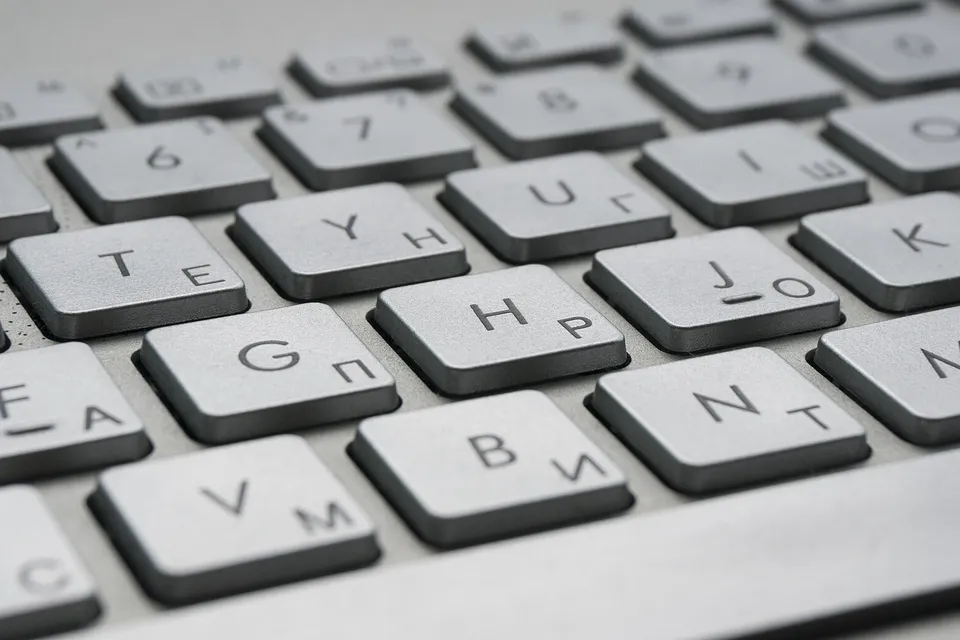
- Unplug it or turn it off (remove batteries if wireless).
- Turn it upside down and gently shake out crumbs.
- Vacuum between keys with a handheld vacuum and slim nozzle, like DustaClean.
- Wipe keys with a cloth slightly dampened with isopropyl alcohol (70%) or a disinfecting wipe; never spray liquid directly.
- Clean gaps with a cotton swab.
- Let it dry before plugging back in.
Keyboards are among the dirtiest things we touch every day. Crumbs, dust, pet hair, skin cells and germs collect between and under the keys, and sticky keys can start misbehaving. A quick, regular clean keeps your keyboard working well and more hygienic, whether it's a laptop, a desktop keyboard or a mechanical one. This guide explains how to clean each type safely, which tools to use and what to avoid.
Why do keyboards get so dirty?
- Eating at the desk drops crumbs between keys.
- Hands transfer oils, lotion and germs.
- Dust and pet hair settle when the keyboard isn't in use.
- Spills leave sticky residue.
What tools do you need?
| Tool | Use |
|---|---|
| Handheld vacuum with slim nozzle | Crumbs and dust between keys |
| Microfiber cloth | Wiping key tops and case |
| Isopropyl alcohol (70%) | Disinfecting and removing oils |
| Cotton swabs | Edges and gaps |
| Soft brush | Loosening debris |
| Keycap puller (mechanical keyboards) | Deep cleaning |
How do you clean a desktop keyboard?
- Unplug the keyboard or remove batteries.
- Turn it upside down and shake gently over a trash can.
- Use a soft brush to loosen debris between keys.
- Vacuum between keys with a slim nozzle.
- Dampen a cloth with alcohol (not dripping) and wipe the keys and case.
- Use cotton swabs for edges.
- Let it dry fully before reconnecting.
Why use a handheld vacuum?
Shaking alone leaves a lot of debris behind. A handheld vacuum with a slim nozzle pulls crumbs and dust from between keys. DustaClean is a cordless handheld vacuum under 1 lb with HEPA filtration, two nozzles, about 3,500 Pa of suction and up to 30 minutes per charge. Its slim nozzle fits along key rows, and HEPA filtration helps keep fine dust from blowing back into the air. The EPA explains how HEPA filters capture fine particles. Read our DustaClean review.
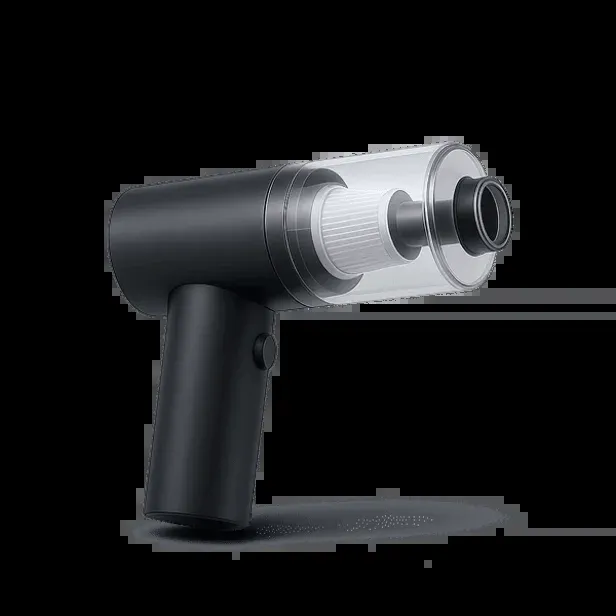
Pull crumbs and dust from between the keys
DustaClean handheld vacuum: cordless, USB-rechargeable, under 1 lb, with HEPA filtration, 2 nozzles and up to 30 minutes per charge. $69.99, or from $49.99 each in bundles.
Check today's price →$69.99, or from $49.99 each in bundles
How do you clean a laptop keyboard?
- Shut down and unplug the laptop.
- Tilt it at an angle and gently tap to dislodge crumbs.
- Vacuum gently between keys on low power.
- Wipe keys with a cloth lightly dampened with alcohol.
- Keep liquid away from openings.
Don't remove laptop keys unless you're sure how; they break easily.
How do you deep clean a mechanical keyboard?
Take a photo of the layout, remove keycaps with a keycap puller, wash keycaps in warm soapy water, rinse and dry completely. Vacuum and brush the exposed plate, wipe with alcohol and reinstall keycaps once dry.
How do you disinfect a keyboard?
Use 70% isopropyl alcohol on a cloth or alcohol-based disinfecting wipes squeezed so they're not dripping. Follow the product's contact time. The EPA explains safe and effective disinfectant use.
What about sticky keys?
Unplug, wipe around the key with alcohol and a swab and work the key to loosen residue. For mechanical keyboards, remove the keycap and clean beneath. For laptops with stubborn sticky keys after spills, consult a repair shop.
What if you spill on a keyboard?
Unplug or turn off immediately, turn it upside down to drain, blot and let it dry for at least a day. Don't plug it in while wet.
Should you clean the mouse and desk too?
Yes. Wipe the mouse, desk surface and phone with the same alcohol cloth, and vacuum the desk area. See why is my house so dusty? and how to reduce dust in the house.
How often should you clean a keyboard?
Do a quick vacuum and wipe weekly, a deeper clean monthly and disinfect more often if shared or during cold and flu season.
How much does DustaClean cost?
DustaClean is $69.99 for one, $59.99 each for two, $54.99 each for three and $49.99 each for four. Returns are accepted within 30 days for unused products in original packaging.
How dirty is a keyboard, really?
A keyboard is touched hundreds of times a day, often by hands that just held a phone, a snack or a doorknob. Shared keyboards at home, in a family office or a kids' homework corner, collect even more. Crumbs and skin flakes give germs something to live on, and dust adds to what you breathe at your desk. You don't need to panic about it, but a routine clean makes a real difference, especially during cold and flu season or when someone at home is sick.
What should you never use on a keyboard?
- Sprays aimed at the keys: liquid runs under keys and into electronics.
- Bleach or harsh solvents: they can fade legends and damage plastic.
- Soaking wet cloths: always wring until just damp.
- Sharp tools: knives and pins can scratch or pop off keys.
- Mixing cleaners: never combine bleach with ammonia or other products. Health Canada warns this can release toxic gases.
Is compressed air better than a vacuum?
Compressed air blows debris out, but it also sends dust and crumbs onto your desk, the floor and into the air you breathe. A handheld vacuum pulls debris out and traps it, which is cleaner and better for allergy-prone people. Many people use both: a short burst of air to loosen stubborn crumbs, then the vacuum to collect everything. If you use canned air, hold the can upright and use short bursts so it doesn't spray propellant.
How do you make keyboard cleaning a habit?
The trick is keeping the tools close. Keep a microfiber cloth and a small bottle of 70% alcohol in a desk drawer, and keep a cordless handheld vacuum charged nearby. A light, cordless model you can grab with one hand makes the weekly clean a 2-minute job instead of a chore. DustaClean charges by USB, so it can sit on the desk next to your computer and plug into the same charger you already use. Its two nozzles cover both the key rows and the desk surface, and the same vacuum works on vents, chair seams and car seats. See handheld vacuum for the car and best handheld vacuum.
How do you clean the rest of the desk area?
- Clear the desk and wipe it with a damp cloth.
- Vacuum dust from the monitor stand, speaker grilles and computer vents.
- Wipe the monitor with a dry microfiber cloth or a screen-safe cleaner.
- Vacuum the chair, especially seams where crumbs hide. See how to clean a couch for fabric tips.
- Vacuum the floor under the desk, where dust and hair collect around cords.
Can a dirty keyboard affect allergies?
Dust, pet dander and other allergens collect on and around keyboards, and typing stirs them up right under your nose. If you have dust allergies, cleaning your desk area regularly and using a vacuum with HEPA filtration helps. The ACAAI recommends reducing dust exposure for people with dust allergies. See dust allergy cleaning tips for a full routine.
What about gaming keyboards with lights?
RGB keyboards are cleaned the same way, with extra care around the lit areas. Unplug first, avoid moisture near the switches and use a soft brush and vacuum. Gaming keyboards often have open frames where dust is very visible, so a quick weekly vacuum keeps the lighting looking clean.
How do you clean a kids' keyboard or tablet keyboard?
Kids' keyboards collect sticky snack residue. Unplug or switch off, vacuum crumbs, then wipe keys with a cloth lightly dampened with alcohol or a disinfecting wipe that's squeezed out. Let it dry before use. A weekly routine and a no-snacks-at-the-computer rule help a lot.
How do you clean a wireless keyboard?
Turn it off with the power switch or take the batteries out before you start, so stray key presses don't send random text or wake your computer. Clean the battery compartment with a dry cotton swab if you see dust or white residue around the contacts. Vacuum and wipe the keys the same way as a wired keyboard, and let it dry before switching it back on. If the keyboard has a rechargeable battery, unplug the charging cable first.
Why does my keyboard smell?
A sour or stale smell usually means food residue, a past spill or oils trapped under the keys. Vacuum thoroughly, then wipe around each key with an alcohol-dampened swab. For a mechanical keyboard, remove the keycaps and wash them. Let everything dry completely in a ventilated room. If a smell remains after a spill on a laptop, have it checked, since liquid inside can damage parts over time.
What's a quick weekly keyboard checklist?
- Turn off or unplug.
- Tip upside down and tap out loose crumbs.
- Vacuum between key rows with a slim nozzle.
- Wipe keys and the palm rest with a damp alcohol cloth.
- Wipe the mouse and vacuum the desk surface.
The whole routine takes about three minutes when your vacuum is charged and within reach. Pair it with a weekly dusting of the room; see weekly cleaning schedule.
The bottom line
Unplug, shake, vacuum between keys, wipe with a lightly dampened alcohol cloth and let it dry. A quick weekly clean keeps your keyboard working well and more hygienic.
For quick keyboard and desk cleaning, our pick is DustaClean. Check today's DustaClean price.
Sources
- U.S. Environmental Protection Agency. What is a HEPA filter?
- U.S. Environmental Protection Agency. Six Steps for Safe and Effective Disinfectant Use.
- Official DustaClean product page, checked October 2026.
Frequently asked questions
What is the best way to clean a keyboard?
Unplug it, shake out crumbs, vacuum between keys, wipe with a damp alcohol cloth and let it dry.
Can I use a vacuum on my keyboard?
Yes, a handheld vacuum with a slim nozzle pulls crumbs and dust from between keys.
Can I clean a keyboard with alcohol?
Yes, 70% isopropyl alcohol on a damp cloth, never sprayed directly on the keys.
How do I fix sticky keys?
Unplug, clean around the key with an alcohol swab and work the key to loosen residue.
How often should I clean my keyboard?
A quick clean weekly and a deeper clean monthly.
Is compressed air or a vacuum better?
A vacuum traps the debris; compressed air spreads it around your desk.

Michelle Hert
Michelle looks into the cleaning products that go viral in ads, from toilet foams to mini vacuums and drain cleaners. She reads the product pages, checkout and return policies, trusted safety sources and buyer feedback so you know what a product really does before you buy it. Her reviews are built on manufacturer information, official checkout and return policies, trusted safety sources and buyer feedback, and are updated when offers change. More about Michelle.